Project Overview

Project Info

Client: Victoria

Type: Centralized Academic Hub for Student Productivity

Timeline: 18 Aug 2025 – 27 Aug 2025


The client is a university seeking a centralized academic management platform for its students. The purpose of this custom Notion system was to replace fragmented tools and documents, providing a single source of truth for all academic activities. The overall scope of the project encompassed tracking degree progress, managing courses and class schedules, handling assignments and exams, calculating GPA, organizing resources, and monitoring scholarship applications, all within an integrated and easy-to-navigate system.

Client Challenges

The client is a university seeking a centralized academic management platform for its students. The purpose of this custom Notion system was to replace fragmented tools and documents, providing a single source of truth for all academic activities. The overall scope of the project encompassed tracking degree progress, managing courses and class schedules, handling assignments and exams, calculating GPA, organizing resources, and monitoring scholarship applications, all within an integrated and easy-to-navigate system.

Goals

The client wanted to empower students by consolidating their entire academic life into one intuitive system. The primary goals were to improve organization, ensure students stay on track for graduation, provide clear visibility into upcoming deadlines and weekly schedules, and centralize all learning materials for easy access.

Requirements

The system required several interconnected pages and databases. These included a central Dashboard for at-a-glance insights, a Courses database to track classes by semester and status, a Class Schedule for weekly planning, an Assignments & Exams hub for task management, a Degree & Progress Tracker to monitor graduation requirements, a GPA Tracker for performance metrics, a Resources database for textbooks and links, and a Scholarships & Financial Aid page for deadline and application tracking.

Design Steps

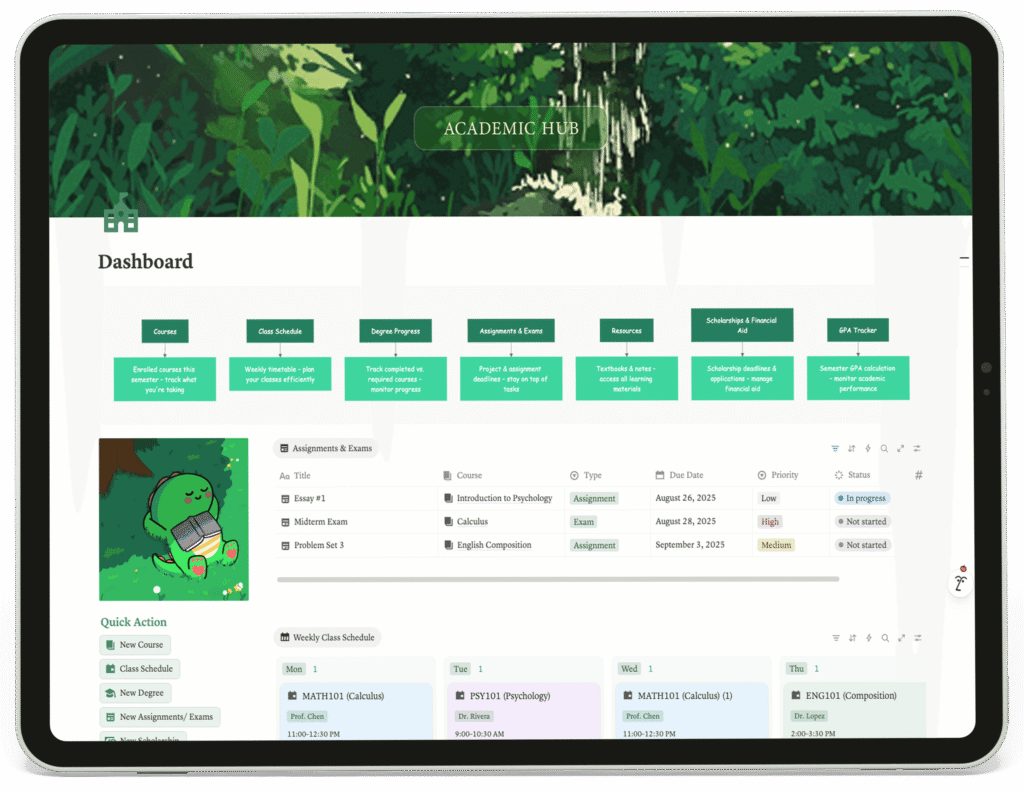
Home Dashboard

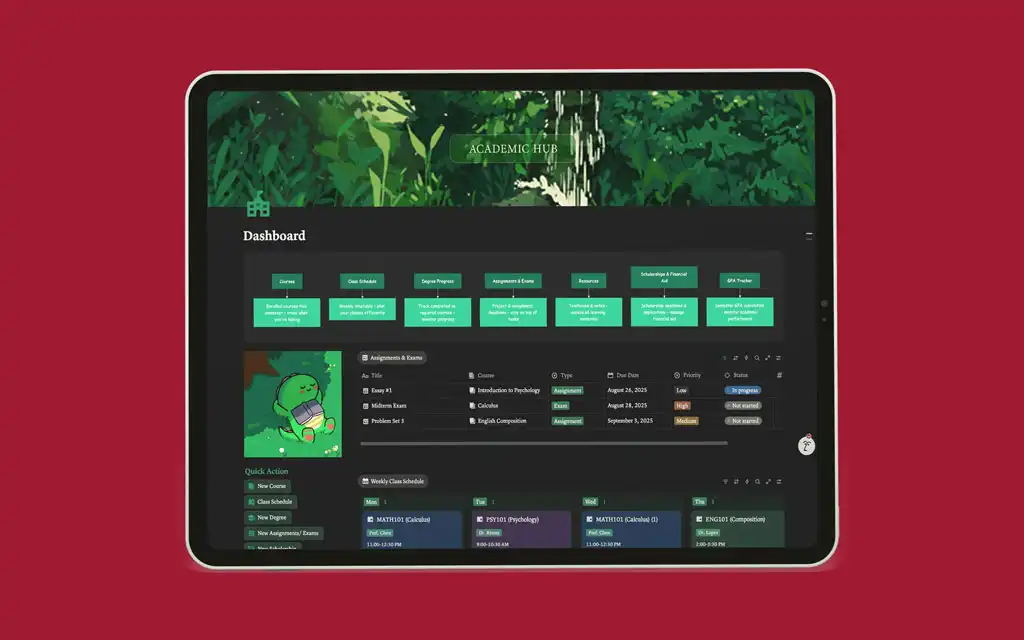
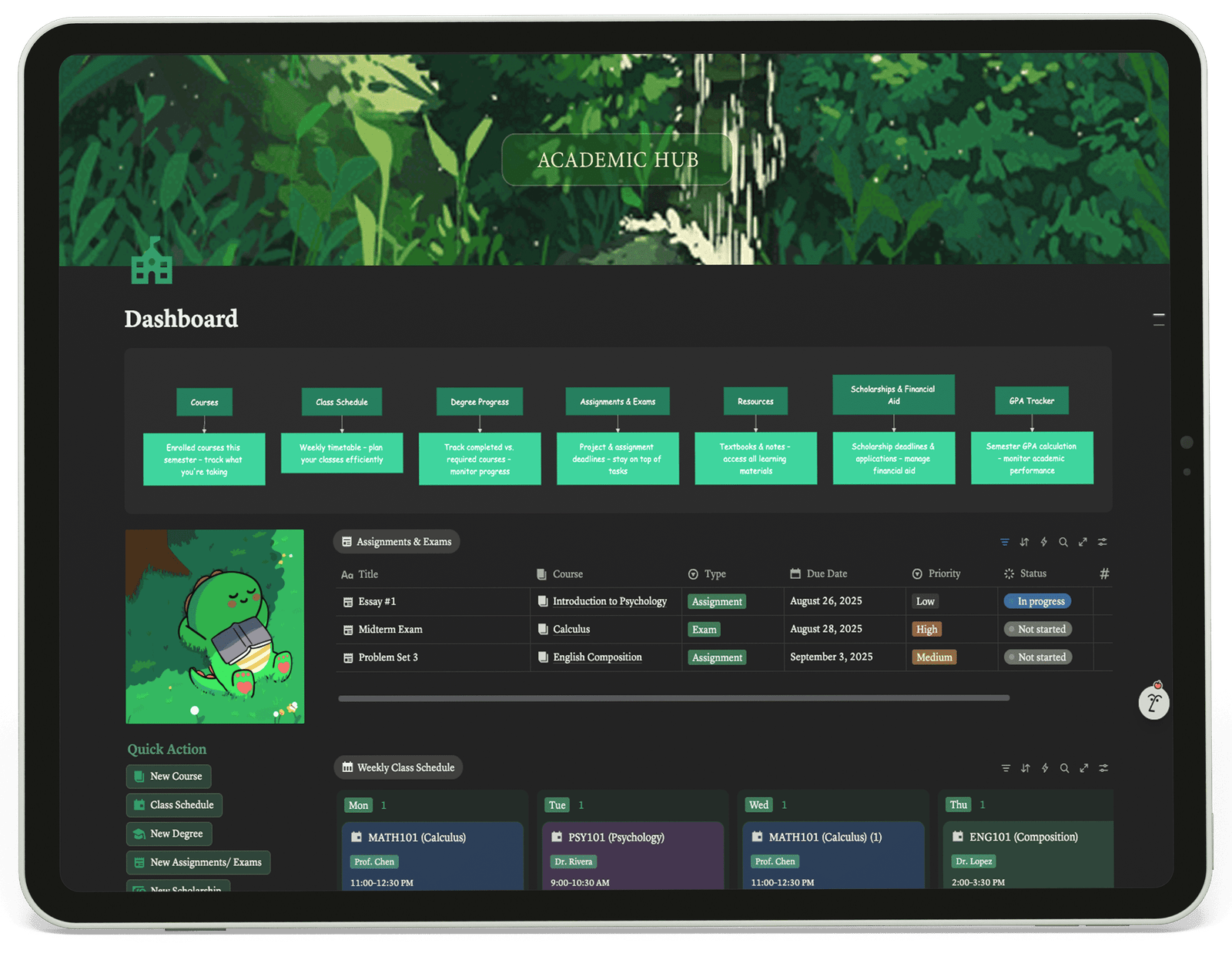
The Dashboard serves as the command center, offering a quick overview of the student’s academic week and immediate responsibilities. It features an “Assignment & Exams” table showing upcoming tasks with their course, type, due date, and priority. A “Weekly Class Schedule” provides a snapshot of the current timetable, directly linked to the Courses database. The “Quick Action” buttons allow students to swiftly create new courses, schedules, or assignments, making the system highly actionable and reducing data entry friction.

1

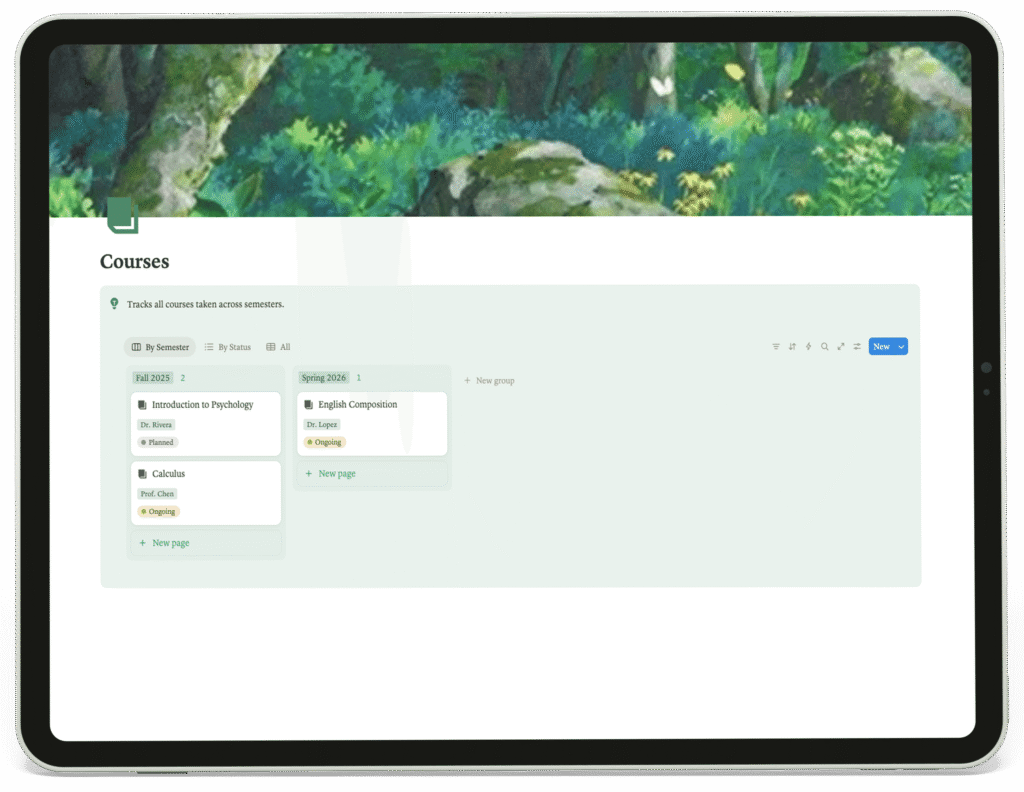
Courses

This page acts as the master database for all academic courses. Students can view their classes grouped by semester (e.g., Fall 2025, Spring 2026) and filter them by status (Planned, Ongoing). This structure provides a clean, chronological record of their academic journey and helps in planning future semesters.

2

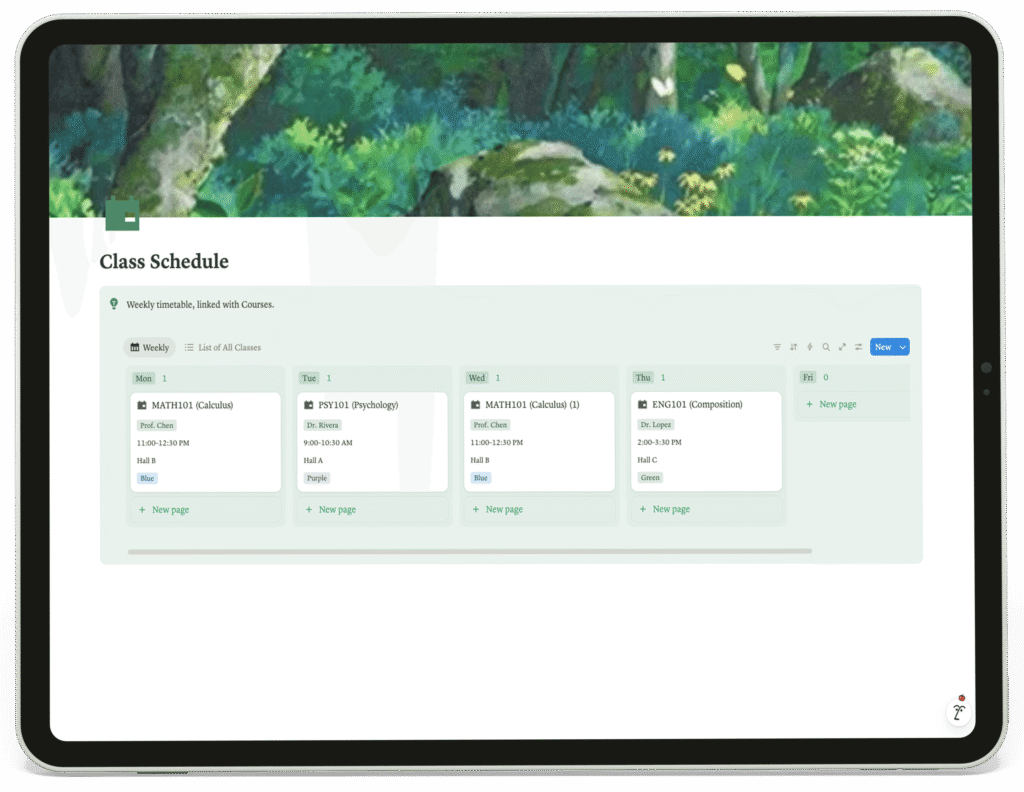
Class Schedule

Designed for practical weekly planning, this page displays a timetable linked to the Courses database. It shows class details like the professor, time, and location, allowing students to visualize their weekly commitments at a glance. The “List of All Classes” view offers an alternative, simplified list format.

3

Assignments & Exams

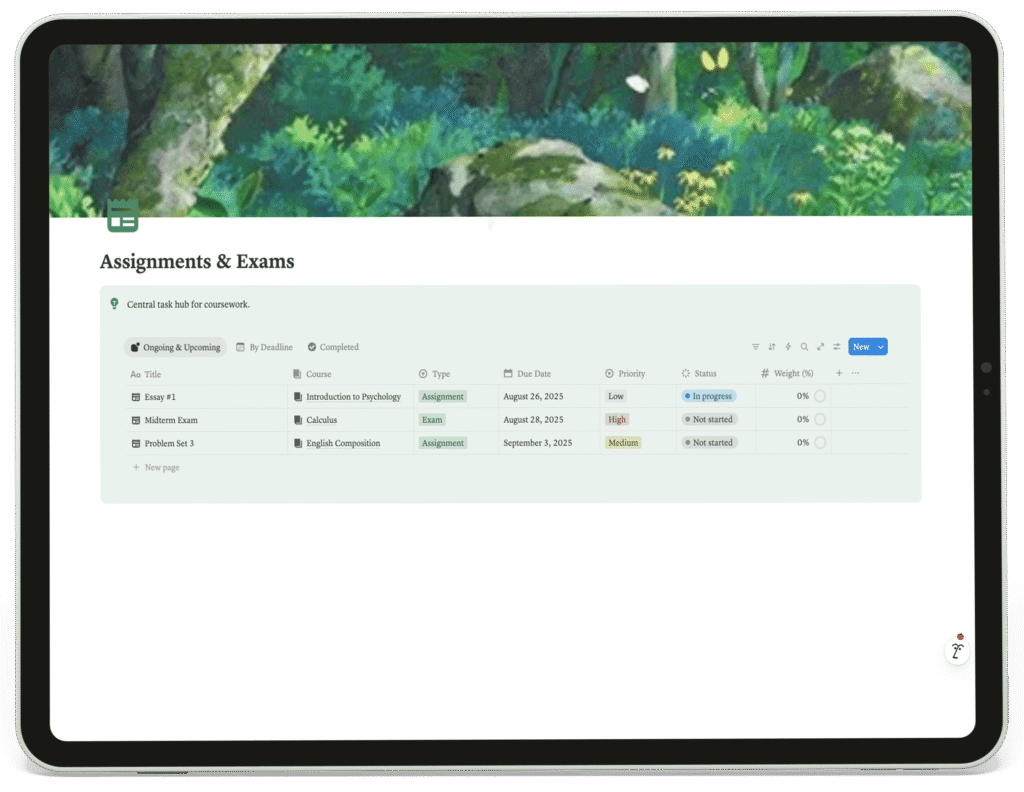
This is the central task hub for all coursework. It provides filtered views like “Ongoing & Upcoming” and “Completed,” and a main table that tracks critical details such as due date, priority, status, and even the assignment’s weight toward the final grade. This enables students to prioritize their work effectively.

4

Degree & Progress Tracker

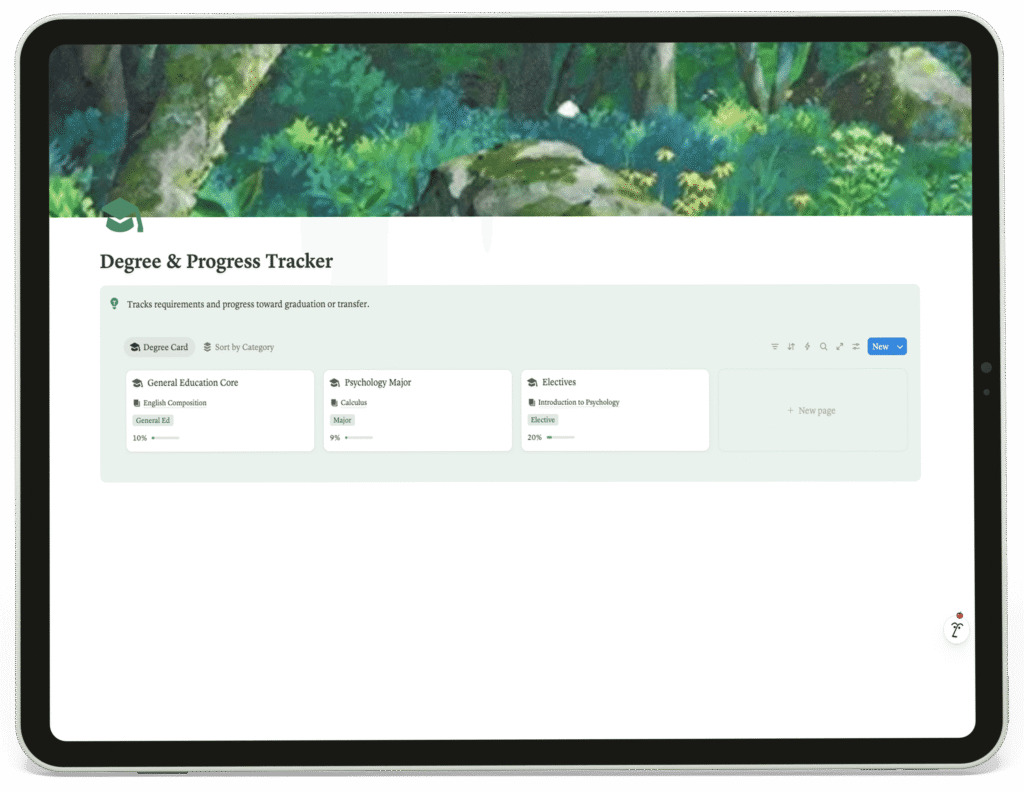
This page visually tracks progress toward graduation. Requirements are broken down into categories like “General Education Core” and “Major,” with progress percentages shown for each. This gives students a clear and motivating visual of how their completed courses contribute to their overall degree.

5

GPA Tracker

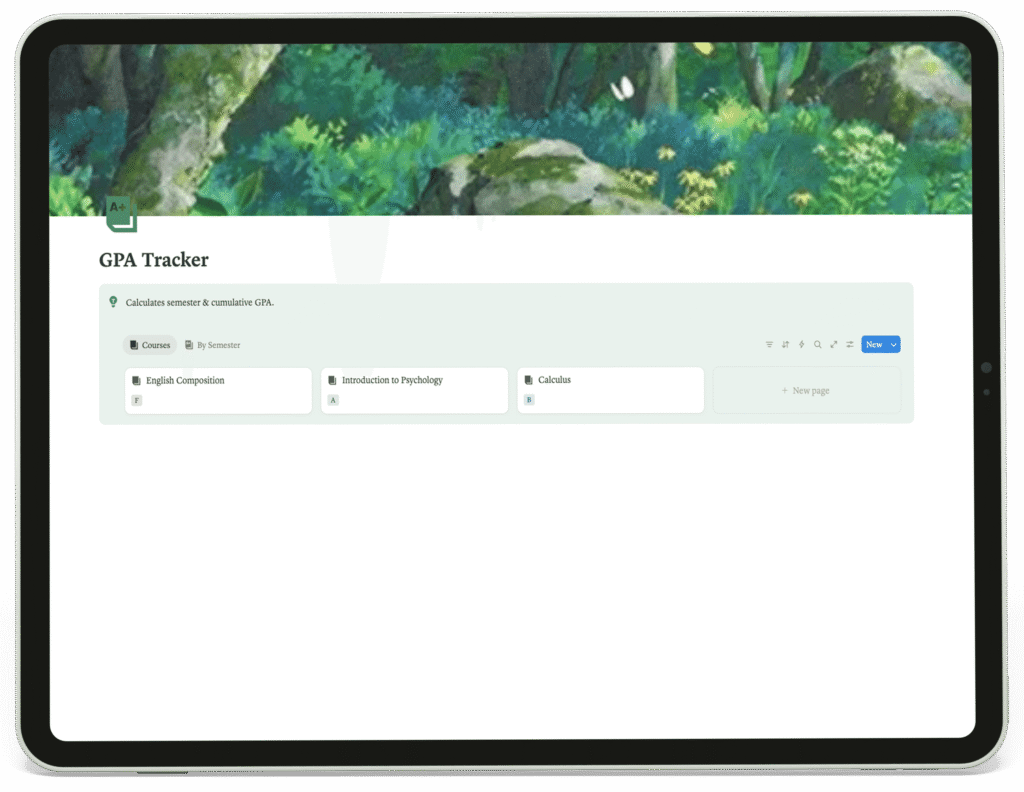
This page is dedicated to calculating both semester and cumulative GPA. It lists courses and is likely connected to a database where final grades are input, automating the GPA calculation process and helping students monitor their academic performance.

6

Resources

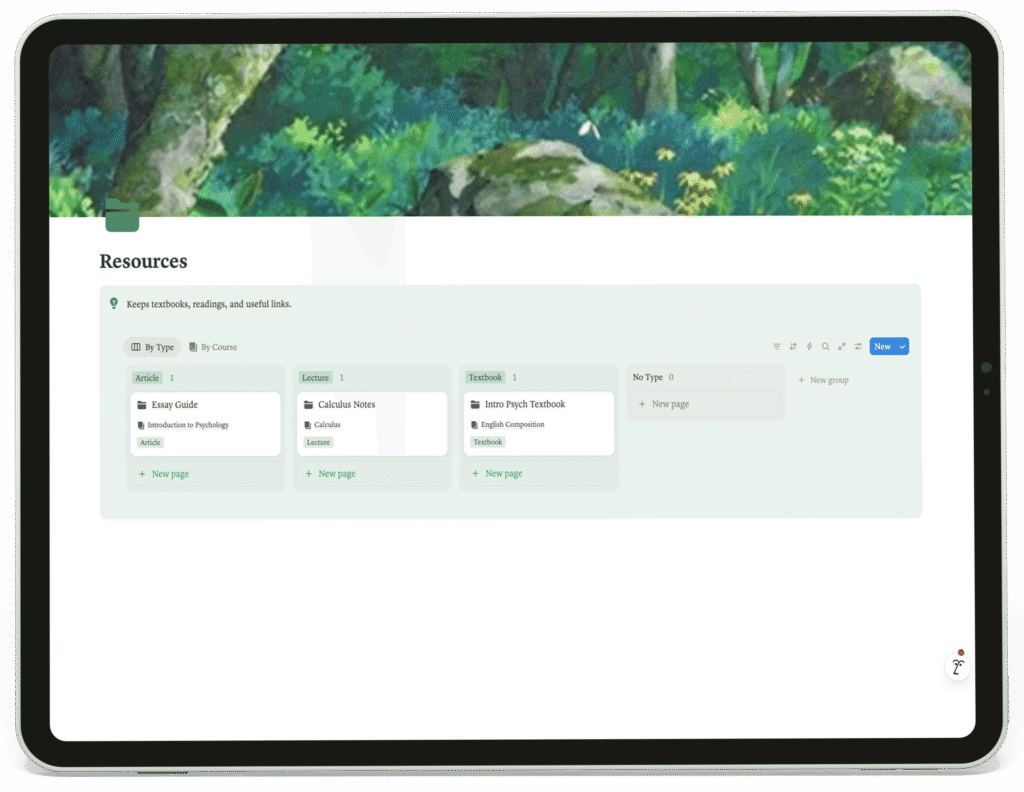
This page keeps textbooks, readings, and useful links organized. Resources can be viewed “By Type” (e.g., Textbook, Article, Lecture) or “By Course,” ensuring that all learning materials are neatly categorized and easily retrievable when needed.

7

Scholarships & Financial Aid

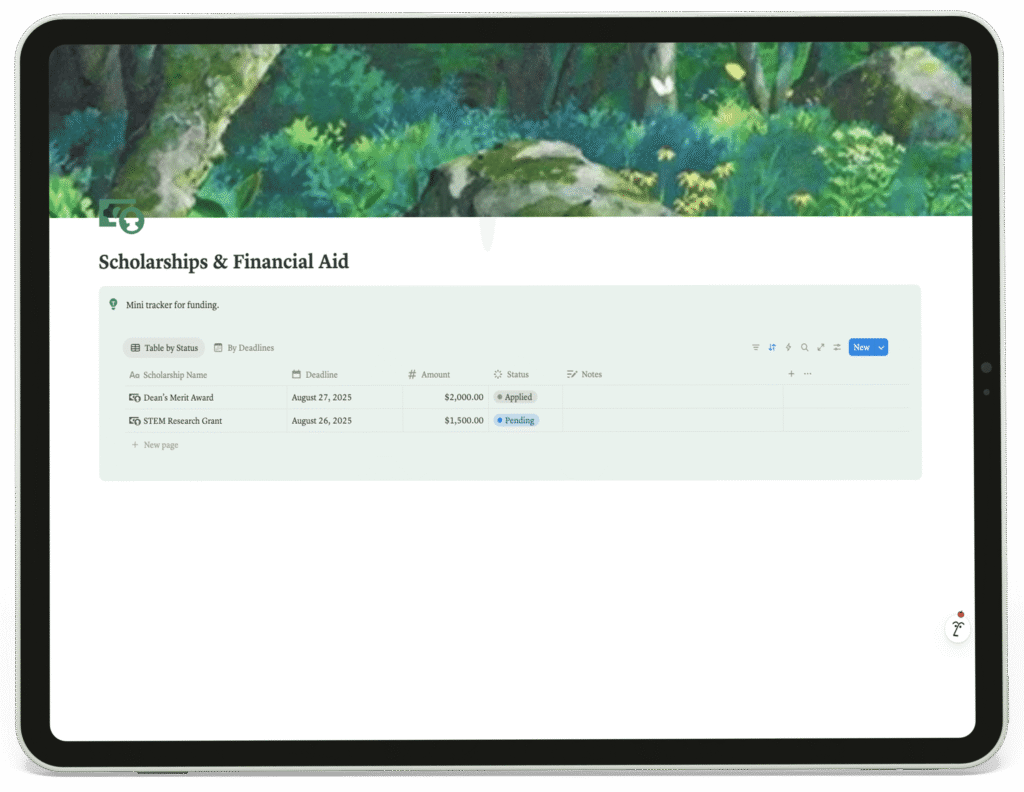
This page functions as a mail tracker for funding opportunities. A table organizes scholarships by name, deadline, amount, and application status, ensuring students never miss a critical financial aid deadline.

8

Tools Used

Optimized For

The client is a forward-thinking university dedicated to improving student success and organizational skills. The final system provided a significant improvement to the student workflow by creating a single, interconnected platform. It eliminated the need to switch between multiple apps, reduced the cognitive load of planning, and gave students unprecedented clarity and control over their academic responsibilities, from daily tasks to long-term degree goals.
Victoria
United States

for exploring the entire case study. If you’d like to build something similar, feel free to DM me or submit your project requirements.

I’ll respond as soon as possible.