Project Overview
Project Info
Client: Marteen
Type: Real Estate Investment with a Custom Notion Workspace
Timeline: 19 May 2025 – 06 Jun 2025
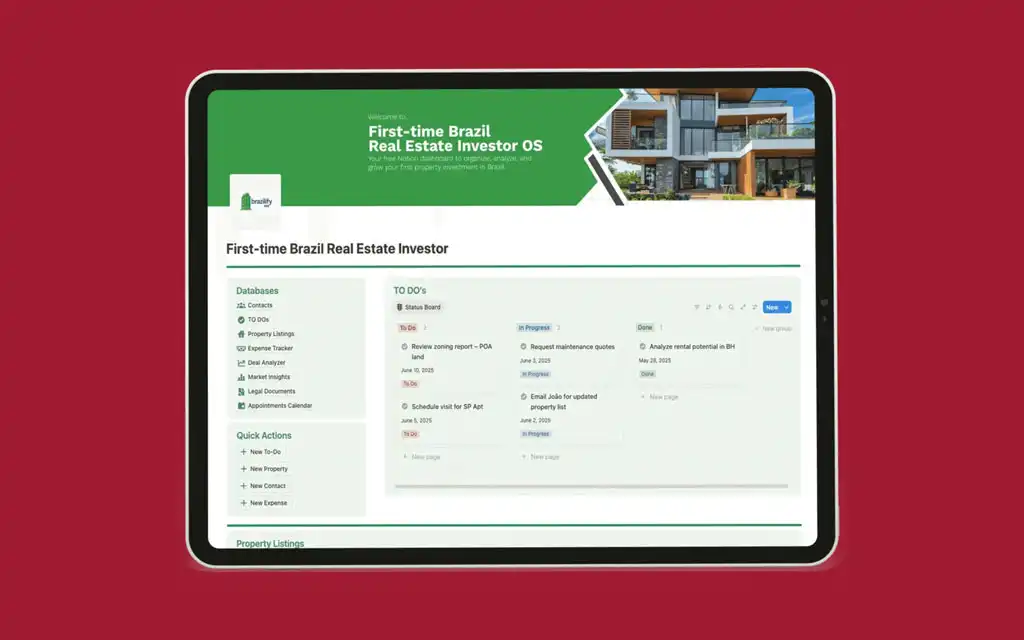
The client is a first-time real estate investor focusing on the Brazilian market. She needed a centralized system to manage her entire investment workflow, from tracking potential deals and legal documents to monitoring expenses and market trends. The purpose of this custom Notion system was to consolidate all disparate information: properties, contacts, tasks, legal paperwork, and financial analyses into a single, interconnected platform. Based on the visuals, the project’s scope encompassed creating a comprehensive dashboard and dedicated pages for contacts, task management, property listings, expense tracking, deal analysis, market intelligence, legal document tracking, and a calendar for critical deadlines.

Client Challenges
Before this system, the client likely struggled with information silos. Key details about properties, their associated contacts, and related legal documents were not linked, making it difficult to get a complete picture of an investment. Tracking deadlines for payments, inspections, and contract reviews was done separately from the assets they concerned, creating a risk of missing critical dates. Analyzing the profitability of different deals and tracking ongoing expenses was not systematized, hindering data-driven decision-making. Her previous setup was fragmented, requiring her to jump between multiple apps and documents, which was inefficient and prone to error.
Goals
The client’s primary goal was to achieve full oversight and control over her real estate portfolio. She wanted to seamlessly track the lifecycle of each property, manage relationships with agents and lawyers, stay on top of tasks and appointments, and make informed investment decisions based on organized financial and market data.
Requirements
The system’s requirements, as visible in the images, included a central Home Dashboard for at-a-glance insights. It also required dedicated pages for a Contacts database (filterable by role), a To-Dos database (with status and priority views), a Property Listings database, an Expense Tracker (with category views), a Deal Analyzer for profitability comparison, a Market Insights log for trends and regulations, a Legal Documents repository (tracking expirations and status), and an Appointments Calendar synced with key deadlines. Automation is implied through linked relations between these databases; for example, a contact is connected to their related properties and appointments.
Design Steps
Home Dashboard
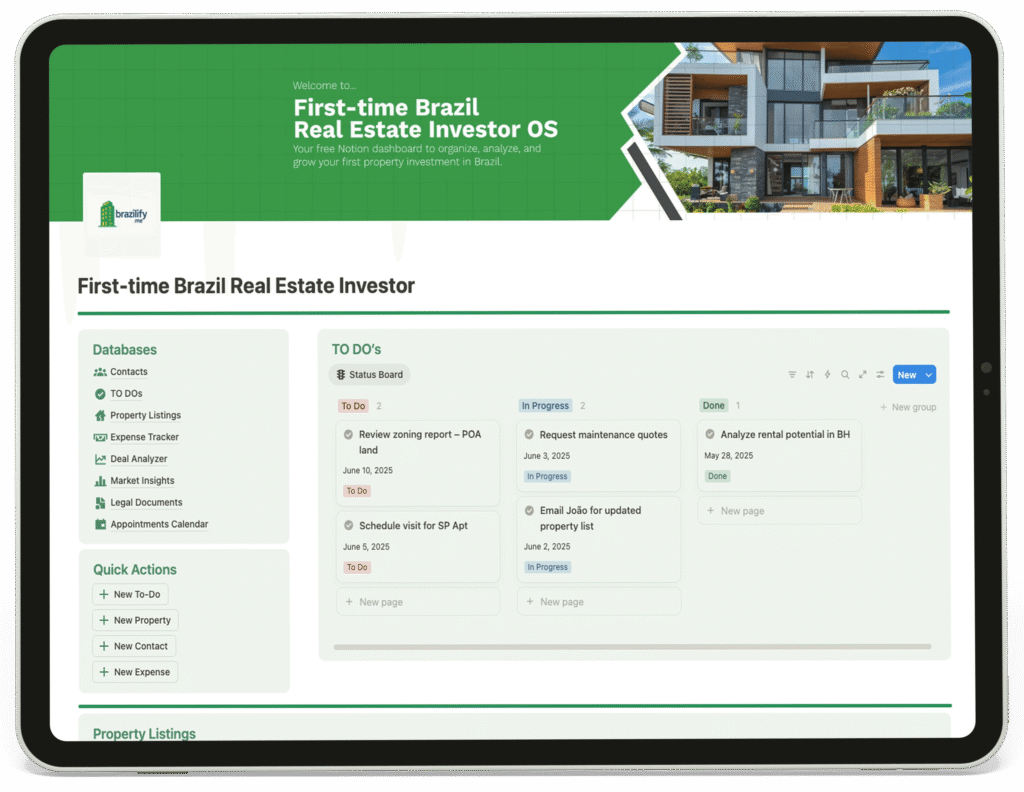
The Home Dashboard serves as the command center, providing a high-level financial summary and direct navigation to every critical section of the workspace. Its clean layout allows the client to quickly assess her investment standing and jump straight into property details, pending tasks, or upcoming appointments. The dashboard is designed for efficiency, connecting all underlying databases so that a change in one area, like a new legal document, is reflected across the entire system.
1
Contacts
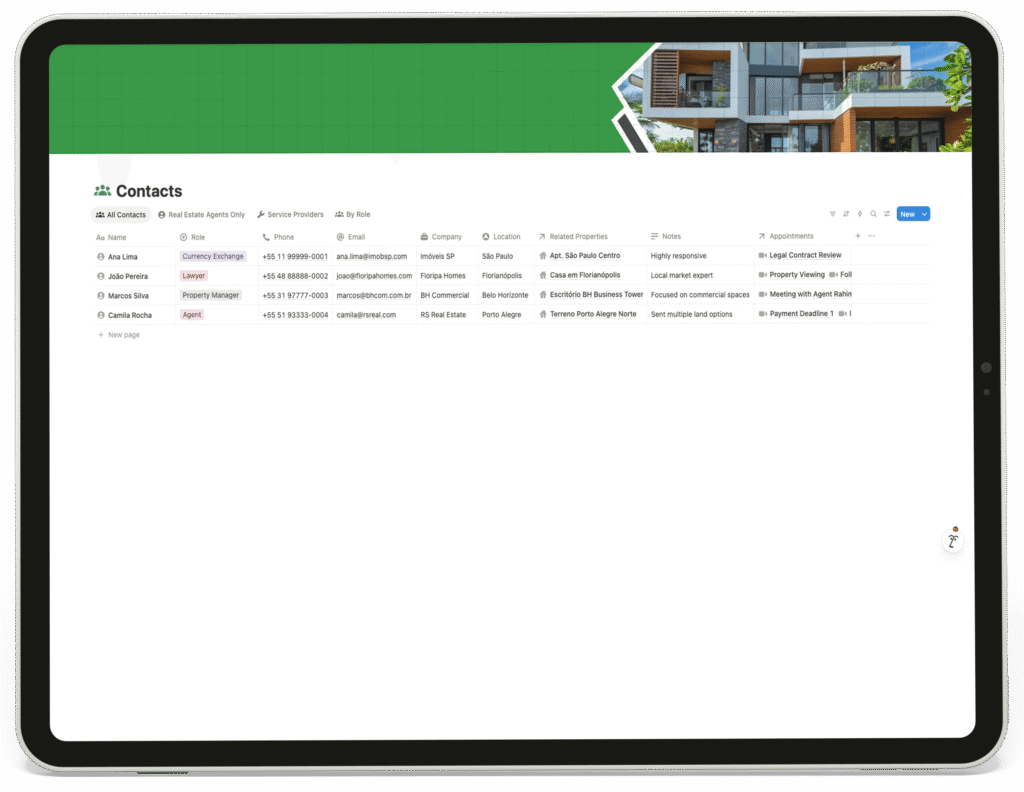
This page centralizes all professional relationships. The database includes key details like role, company, and location, and is linked to related properties and appointments. This structure works for the client because she can instantly see all contacts involved in a specific property, such as the lawyer for the Florianópolis house or the agent for the Porto Alegre land, streamlining communication.
2
To-Dos
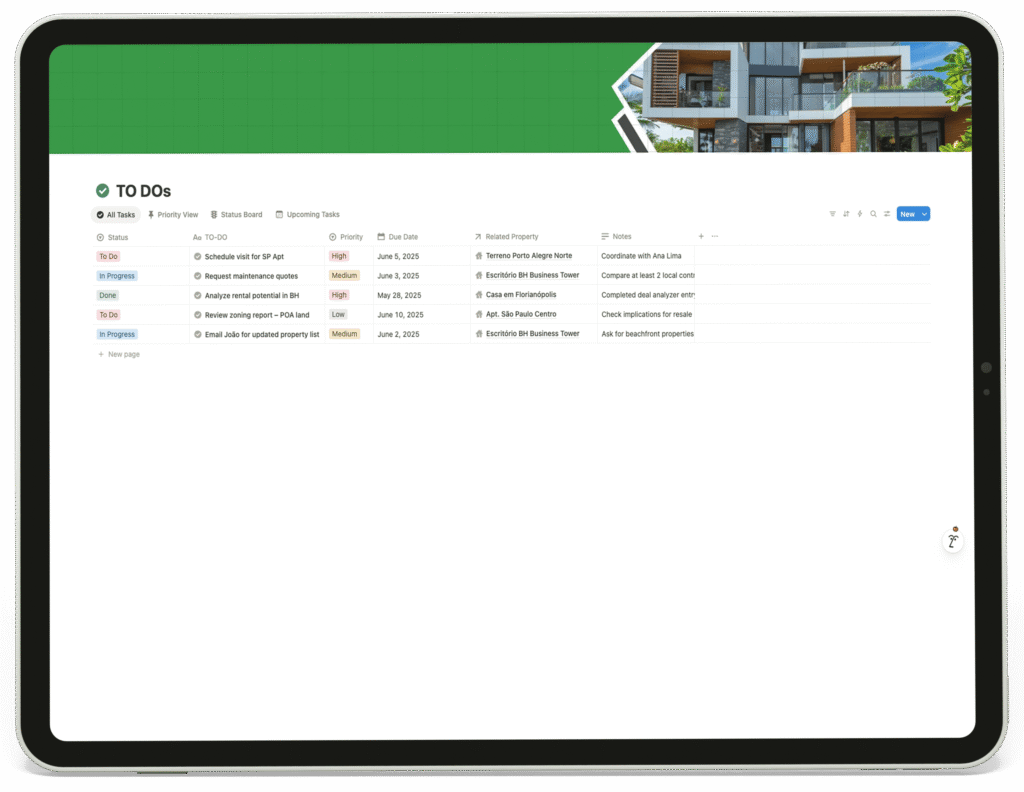
This page organizes actionable items using a Kanban-style status board (To Do, Progress, Done) and priority flags. Each task is linked to a related property, providing context. This system ensures the client never loses track of important actions like scheduling visits or requesting quotes, and she can filter tasks to focus on a single property’s needs.
3
Property Listings
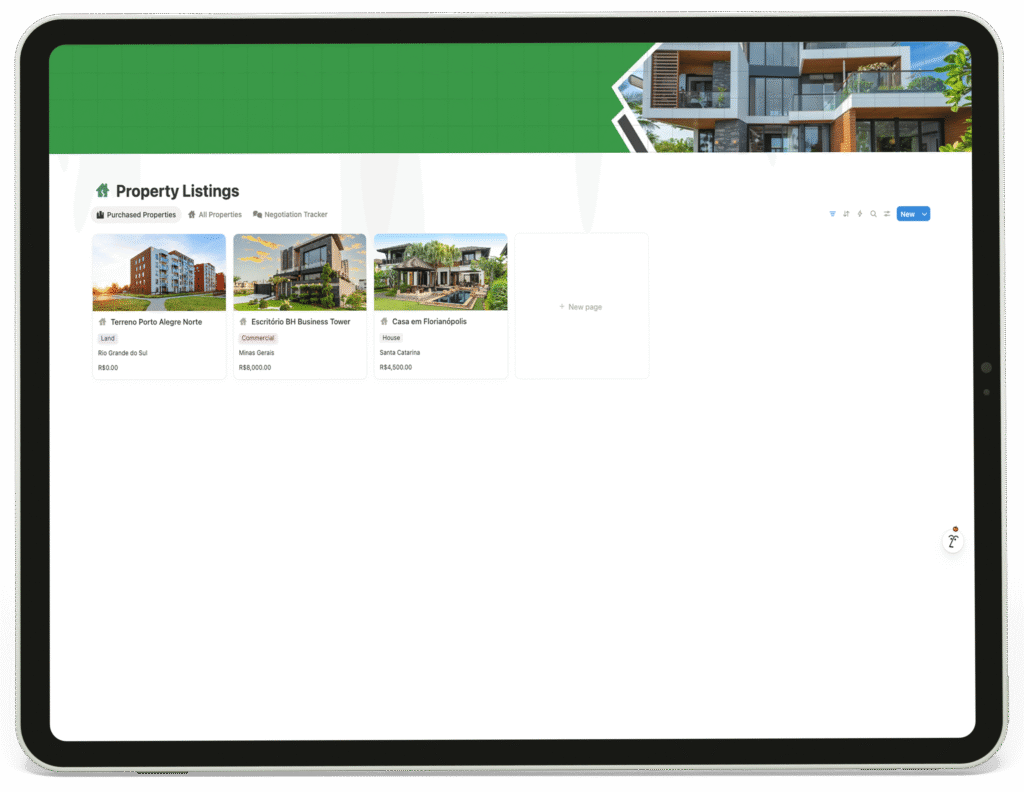
This acts as the master database for all purchased properties. Each entry records the location and price, serving as the central hub that connects to related documents, expenses, contacts, and tasks. This structure gives the client a single source of truth for each asset in her portfolio.
4
Expense Tracker
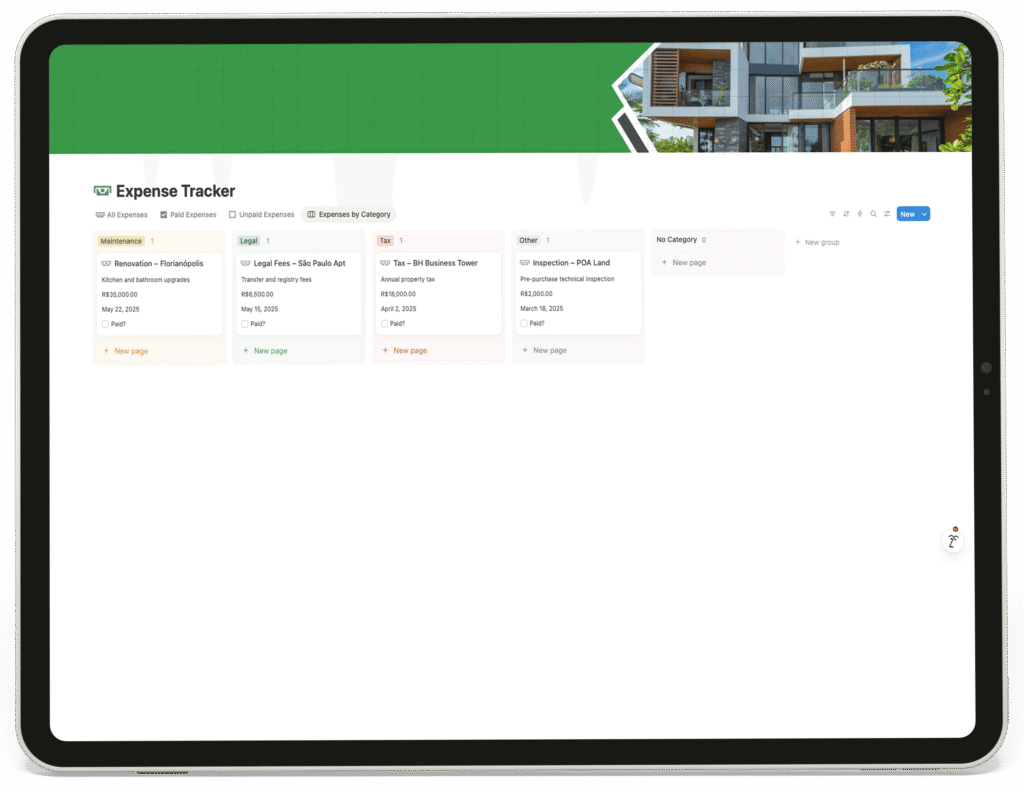
This page categorizes all costs, such as Maintenance and Legal Fees, displaying the amount, due date, and linked property. By organizing expenses this way, the client can easily monitor cash flow, track unpaid bills, and understand the total cost burden of each investment.
5
Deal Analyzer
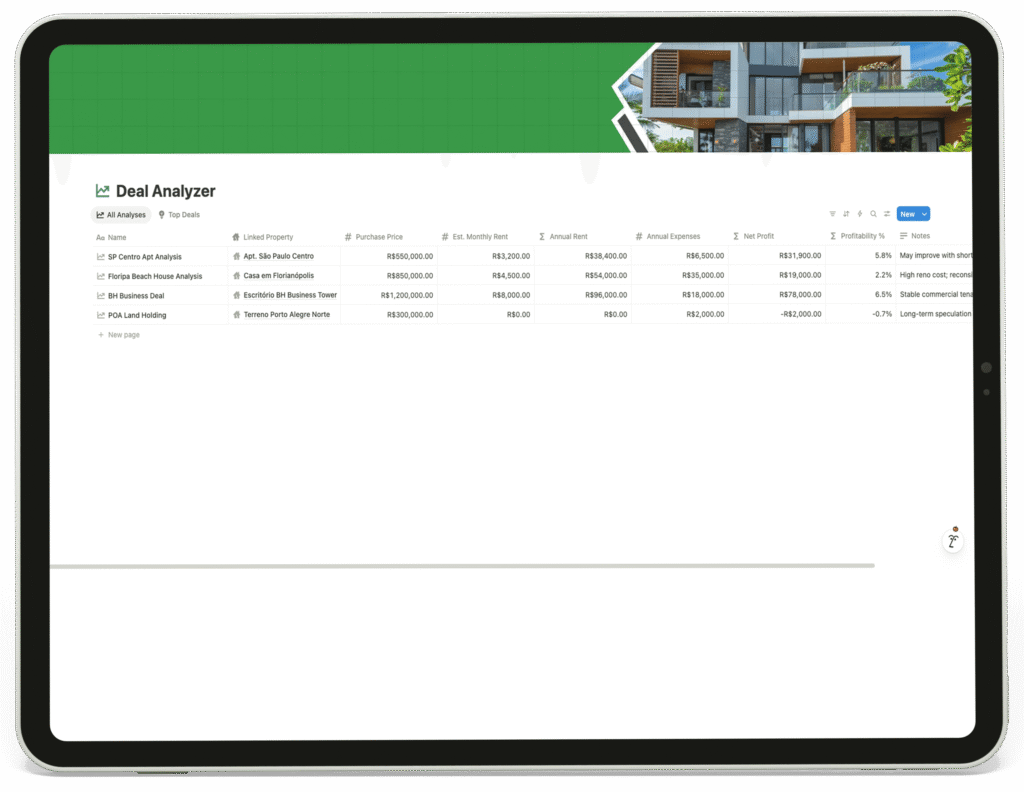
This is a critical page for investment decisions. It compares potential and current deals based on purchase price, projected rental income, expenses, and net profit. This allows the client to objectively evaluate and compare the profitability of different opportunities, focusing her efforts on the most promising deals.
6
Market Insights
This page functions as a strategic logbook. It records regional trends, regulatory updates, and infrastructure projects, complete with impact levels and source links. This helps the client stay informed about external factors that could affect her portfolio’s value, enabling proactive strategy adjustments.
7
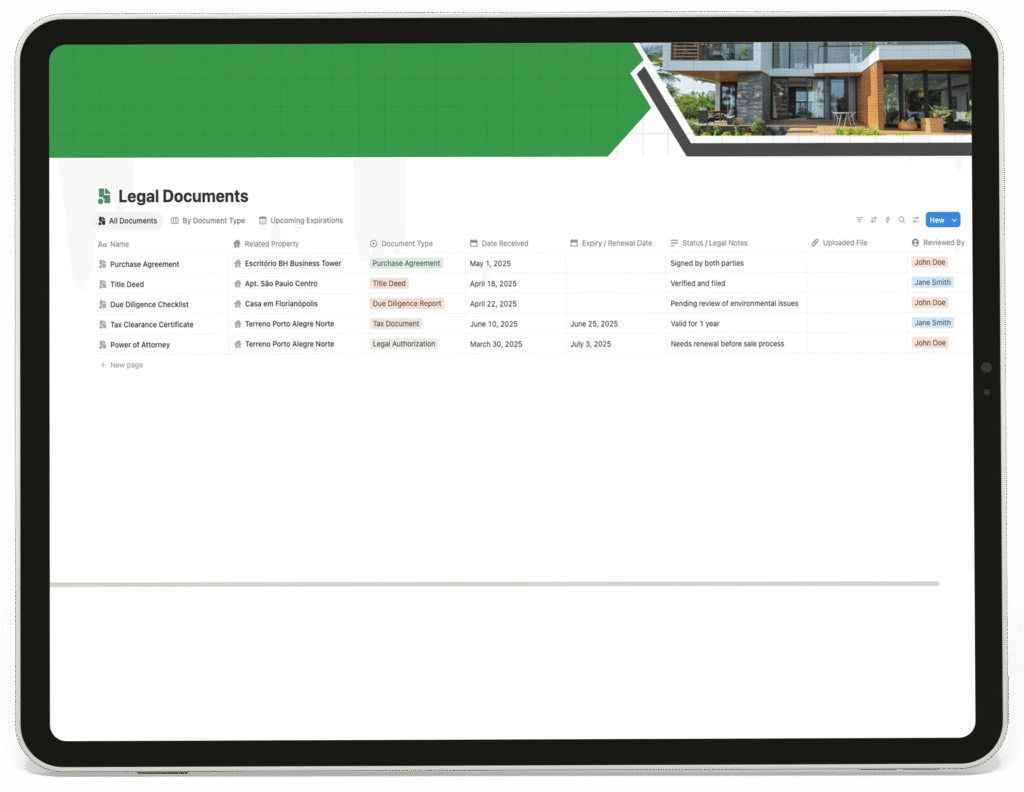
Legal Documents
This repository tracks all critical paperwork, including purchase agreements and title deeds. It monitors expiration dates and status notes, ensuring the client is aware of pending reviews or needed renewals. Linking documents to their respective properties provides immediate access to all legal records for any asset.
8
Appointments Calendar
This page combines a monthly calendar view with a list of time-sensitive actions, such as payment deadlines and inspection walkthroughs. Each appointment is linked to the relevant contact and property, creating a clear timeline of critical events and ensuring the client never misses a key date in the transaction process.
9
Tools Used
Optimized For
for exploring the entire case study. If you’d like to build something similar, feel free to DM me or submit your project requirements.
I’ll respond as soon as possible.